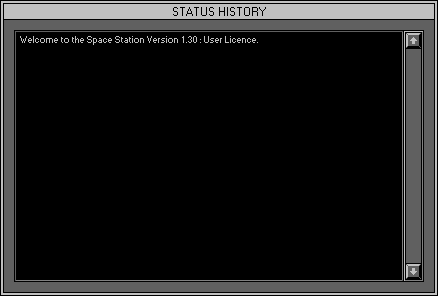
Zone 0, Level 2 (DESKTOP\STATUS HISTORY)
LEVEL OVERVIEW
Here you can view, save and clear the last one hundred status messages
that appeared in the status screen.
Key Features
Colour coded message, Text scrolling, Clearing, Saving
MESSAGE TYPES
Error Message, Red
Indicate that something has gone wrong.
Warning Message, Orange
Indicate that something fundamental is about to be changed.
Command Message, Green
Indicate that a course of actions must be followed.
Acknowledgement ,White
Indicate that a function is in operation or completed.
Function not available, Yellow
Indicate that this function does not have any effect in this version.
Message order
The most recent message appears at the top of the History list.
SCROLL BAR
Buttons
Allow for manipulating up and down the History, click to scroll.
Bar
Bar size is proportion to History List, click\drag to scroll.
OPTION SCREEN
Displays available Options.
Clear all entries
Clears all entries in the Status History (no undo).
Save as *.txt
Activates the Save History Window. Histories are saved as standard
txt files.
Keep and exit
Keep the history list and exits Status History (Zone 0 Level 1 Desktop).
Cancel
Exit Status History (to original location).